Before You Show Them the Door: The Download List That Stops UK Firms Paying Twice

Photo: Gage Skidmore from Surprise, AZ, United States of America, CC BY-SA 2.0, via Wikimedia Commons
Leaving a software supplier feels like it should take ninety seconds. You log in, click cancel, and get on with your day. Then six months later your accountant wants the VAT invoice for a tool you no longer use, your new provider asks for a licence key you never wrote down, or a payment lands on the bank statement because the auto-renewal rolled over while you were on holiday. Suddenly the cheap switch has a price tag attached.
The fix is boring and takes about an hour: build an exit file first. It is the software equivalent of photographing the meter readings before you hand back the keys to a flat. Nobody enjoys doing it. Everybody who skips it regrets it.
Why a messy exit costs more than a tidy one
Small firms get stung on the way out in three reliable ways. You lose records you are legally obliged to keep, you lose access to data that lives only in the old system, or you lose the paper trail that proves you cancelled. Each one turns into either a bill or an argument, and both are expensive when you are a five-person operation with better things to do.
There is also the quieter cost: paying twice. Running the old tool alongside the new one for an extra quarter because nobody is quite sure what has been exported is a very common - and very avoidable - way to burn a few hundred quid.
Start with the money paper
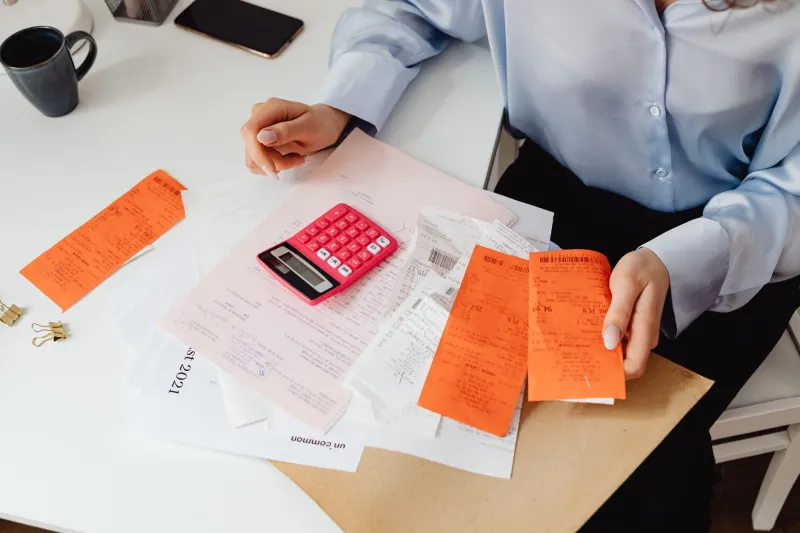
Before anything else, download every invoice you have ever had from the supplier, not just the last one. Most billing portals hide older invoices behind a date filter, so set it to 'all time' and grab the lot as PDFs.
You want these for two reasons. First, HMRC expects you to keep business records for at least six years from the end of the accounting period, and software subscriptions are business records. Second, if there is ever a dispute about what you were promised - seat counts, discount tiers, a waived setup fee - the invoice is the document that settles it.
Check each one is a proper VAT invoice showing the supplier's VAT number, yours if you gave it, and the VAT charged separately. A card receipt is not a VAT invoice, and chasing one after you have cancelled is a genuinely miserable experience.
Also screenshot the current pricing page and your plan details. Suppliers change their pricing pages the moment a product is retired, and your memory of 'it was £14 a seat' is worth nothing in a phone argument.
Keys, seats and serials
Licence keys are the classic thing people forget until the machine that held them is wiped. Dig out and record:
- product keys and serial numbers, ideally in a password manager rather than a spreadsheet on someone's desktop
- the number of seats you pay for versus the number of people actually using it
- admin account logins, and who owns them
- any perpetual licences bundled in with the subscription
- device names or asset tags where the software is installed
That last point matters more than it sounds. If you have a mix of per-seat and per-device licensing, you need to know what you are actually giving up before you cancel, otherwise you may hand back a perpetual licence you paid for outright.
Your data, in a format you can use
A CSV export is not a backup. It is a starting point. Ask for a full export and then open it on a machine that is not connected to the supplier, just to check it is not an empty file with a header row.
Prioritise anything you would struggle to recreate: customer records, quote and invoice history, project notes, file attachments, audit logs, email templates, and any automation rules or integrations. If the tool holds your email or your accounts, this is not optional.
If the supplier drags their feet, remember that under UK GDPR you can make a subject access request for personal data, and you can ask for it in a structured, commonly used, machine-readable format. That gives you a legal hook and a 30-day clock. It is a heavier tool than a polite email, so use it when politeness has stopped working.
Test the export before you cancel. Not after. Cancelling first and discovering the export was incomplete is how firms end up paying for an extra month just to get back in.
The cancellation paper trail
This is the section people skip, and it is the one that saves the most money.
Check your contract for the notice period and the renewal date, then cancel in a way you can prove. That means email or the supplier's written form, not a phone call to a nice person who promises to sort it. Keep the confirmation email, the ticket number, and a screenshot of the cancellation screen showing the date.
If the renewal has already gone through, ask for a pro-rata refund in writing and quote the terms you agreed to - consumer law on unfair terms gives small businesses more leverage than many assume, though you should not expect an automatic yes. If you pay by Direct Debit, you also have the Direct Debit Guarantee, which covers unauthorised or incorrect payments; cancel the mandate at your bank as well as with the supplier.
Then diarise a check for a week after the renewal date. A surprising number of 'cancelled' subscriptions quietly bill one more time.
The dull extras that pay off later
Export your user list, so you know whose access to revoke. Download the terms and conditions and the data processing agreement as they stood when you signed. Note the name of your account manager and any promises made by email. Save the supplier's support address.
Finally, write one page for the file: why you left, what you moved to, what it cost, and what you would do differently. Future you - or whoever inherits the IT - will thank you, and it makes the next supplier negotiation sharper.
A one-hour checklist
Set a timer and work through it: all invoices as PDFs, pricing screenshots, licence keys, admin logins, full data export tested offline, user list, contract and renewal date, written cancellation with proof, Direct Debit cancelled, and a note in the calendar to check the next bill.
An hour of admin now beats a quarter of paying for two systems at once. And if you want to know how much you have actually saved by switching, dig out the old invoices while you are at it - the comparison makes for a satisfying read when the next renewal email lands.